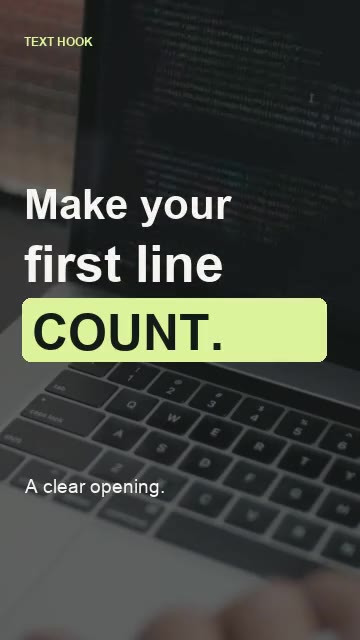
Text hooks & motion text
Timed emphasis that makes the opening line land.
Rush timing and cost are confirmed before payment.
Send your footage and a reference you love. Get a finished edit within 24 hours.
Faster turnaround available on request.
MP4, MOV, M4V, WebM · Up to 100 MB
One video · Up to 20 minutes
Send one source video. Your files stay in your workspace.
Add a reference, a few notes, or a look from the library.
Standard delivery within 24 hours. Download it from Your edits.
Tighter pacing. Captions with personality. Motion text and B-roll that make the story land.
Timed emphasis that makes the opening line land.
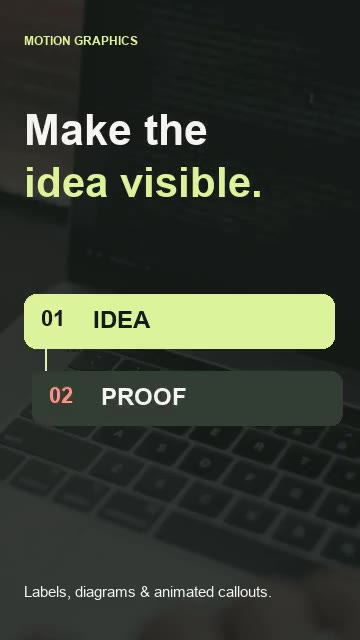
Labels, diagrams and callouts that explain the idea.
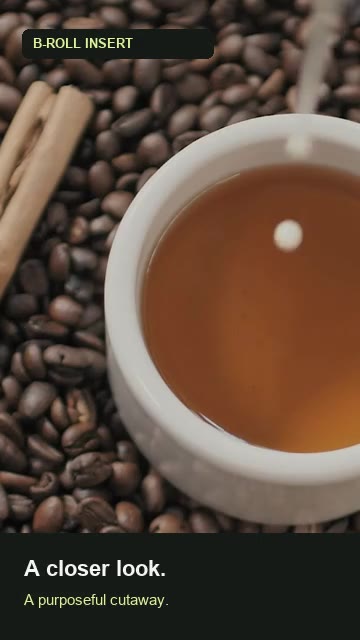
Well-placed cutaways that keep the story moving.
Illustrative edits using licensed demo footage.
Upload your footage, share the direction, then review your submission.
Sign in to upload your footage, save your brief, and receive your finished edit.
Create a Kenzuro account with Google or email, then submit your footage and brief. Each account can claim one free 30–60 second vertical edit with captions, motion text and relevant B-roll, plus one revision. No card is required. Your first delivery is due within 24 hours of a complete submission. Rush upgrades are optional and quoted separately. Further projects require a separate agreement.
Standard first delivery is within 24 hours after you submit your footage and brief. Your delivery window appears in Your edits.
Choose Priority or Express when you submit. We’ll confirm availability, the faster delivery time, and the price before payment.
Yes. Paste public video links, upload a reference clip, or choose creator inspiration from the library. A reference guides the pacing, captions, color, and overall feel.
One MP4, MOV, M4V or WebM source video up to 100 MB and 20 minutes, plus an optional reference video up to 50 MB. You can also supply captions and a B-roll clip in the creative options.
Your finished MP4 appears in Your edits, ready to preview and download. Caption files are available when included in the delivery.
Watch creator edits, understand the style, and make it your own.
Try a creator’s name or another technique.
Creator videos are original references, credited to their creators, with no affiliation or endorsement. Kenzuro demonstrations use licensed footage and generated narration; they are illustrative, not customer projects. Type specimens illustrate a treatment rather than identify an exact font. Fine-tune preferences take precedence in your brief.
Three original Kenzuro demonstrations. Switch between the before and after, hear the same narration, and see what changed.
Long gaps trimmed. The meaning stays.
Pacing · Speech cleanupCaptions and a hook give the words a clear shape.
Captions · Motion textA relevant cutaway makes the spoken idea visible.
B-roll · Supporting graphicsOriginal Kenzuro demonstrations using licensed Mixkit footage and generated voiceover. These are editing comparisons, not customer projects or testimonials. Main footage · Coffee cutaway
Play short demonstrations of what we can add to your footage. Every demo plays here in Kenzuro.
Hear the same voiceover before and after long pauses are removed.
An opening line with timed emphasis, clean type, and a decisive entrance.
Animate the idea with labels, diagrams, and callouts.
Use cutaways to add context and keep the story moving.
Make key words stand out with a clear, animated caption treatment.
Original Kenzuro demonstrations using licensed footage. The pacing example uses a generated voiceover; the other demos are silent. These are illustrative examples, not customer projects.
Explore creators and studios across captions, cinematic B-roll, animation, VFX, and editing craft. A curated reference list, not a ranking.
Six reviewed videos play above. Other entries link to the creator’s own profile and can be added as a direction in your brief. Add a specific video link for a precise reference.
Four house looks to help describe the direction. These are illustrative sample edits.
 0:08
0:08Turn your process into a clear point.
 0:08
0:08Give the story room to breathe.
 0:08
0:08Let the little details shine.
 0:08
0:08Make your point with more energy.
Neutral color and clean caption styling for a clear, direct delivery.
Six expressive treatments for short-form edits. Watch each one before choosing.
Silent visual samples with illustrative text. Choose the treatment that fits your voice.
Choose a caption treatment to include in your editing brief.
Five title treatments, from a quiet opening to a bold statement.
Tap a treatment to preview its title movement.
Choose an effect. Watch the rendered example to see the difference.
A detail shot, a place, a moment of process. Upload your own clip, set its timing, and keep your voice underneath.
Visual examples use edited Mixkit stock footage. Caption copy is illustrative.
Your submissions, delivery windows, and finished videos in one place.